
This guide covers CodeIgniter CRUD tutorial with practical steps you can copy into a real project.
CodeIgniter CRUD tutorial
In this article, I will explain how to perform CRUD operations using CodeIgniter with a MySQL database.
Note: The full CRUD flow will be covered across more than one tutorial. In this part, you will learn how to install CodeIgniter, add an HTML template, and split the theme into different views.
What is CodeIgniter?
CodeIgniter is an open-source PHP application development framework. It is a lightweight MVC (Model, View, Controller) and object-oriented PHP framework. Please refer to Google for more details.
What are CRUD operations?
CRUD is short for create, read, update, and delete, and it is often used with MySQL.
Before you start practicing, first learn the basics of CodeIgniter at https://www.tutorialspoint.com/codeigniter/. They explain everything in simple language.
Please follow all the steps below. Best of luck, and if you have any questions, leave a comment. We will reply as soon as possible.
Step: 1 Install CodeIgniter
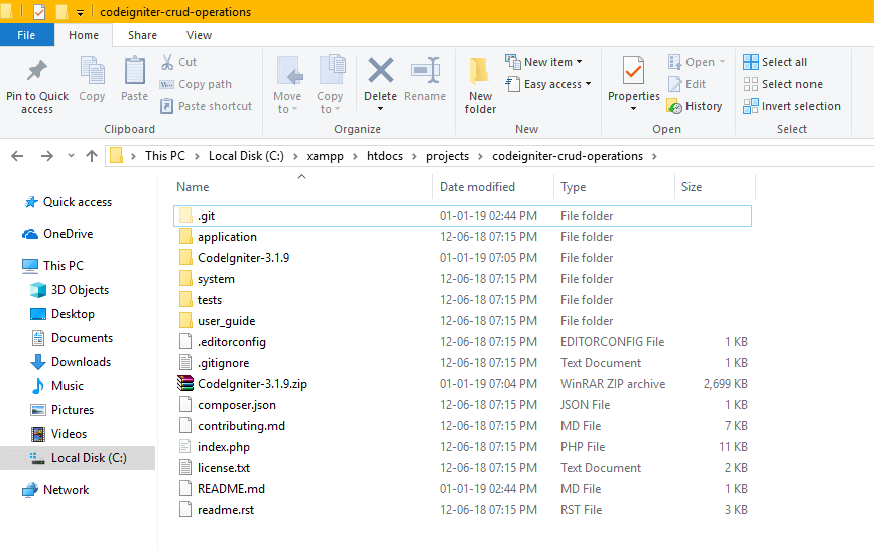
Download the latest CodeIgniter from the official website, then create a folder (CodeIgniter-crud-operations) and extract the zip file into your working environment. I am doing this on my local computer.
Step 2: Include the Bootstrap HTML template in the application
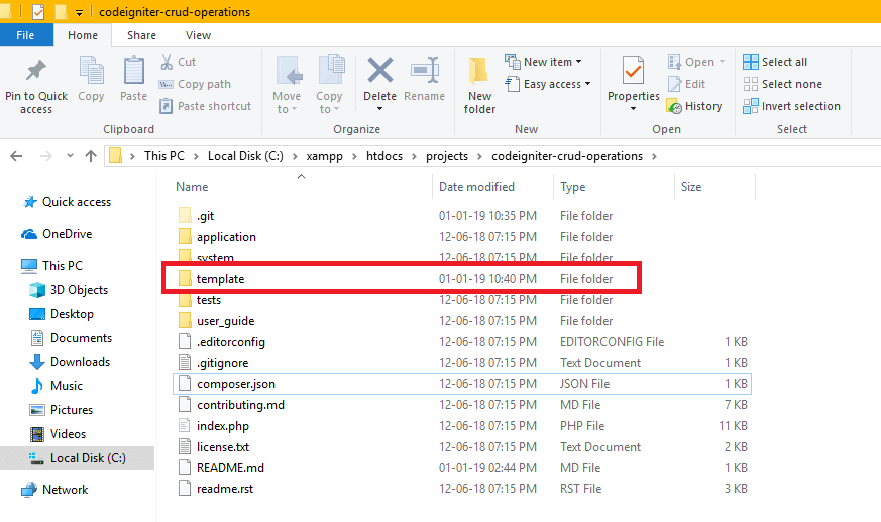
For this demo, we are using this free template: https://github.com/BlackrockDigital/startbootstrap-heroic-features. Download it from GitHub, unzip it, and rename the folder to template.
Step 3: Set application base URL
To include jQuery and CSS files you need the application base URL. You can set it in application/config/config.php at line 26.
Step 4: Create views
In this step, I will create all views for inserting, deleting, and showing data.
Now I will create the view files below in application/views/, in the includes and employee folders.
4.1 header.php
Don’t forget to add the base URL before the CSS link.
4.2 footer.php
4.3 employee_list.php
Step 5: Add the URL helper to autoload
Add url to the autoload helpers in application/config/autoload.php.
Step 6: Create Controller
In this step, we will create a controller to handle all operations.
Now I will create an Employee.php file in application/controllers/.
Step 7: Run application
Open your web browser and visit https://localhost/projects/codeigniter-crud-operations/index.php/Employee
You should see a result like the screenshot below.

Related reading
Questions? Use the contact page.
Reference: CodeIgniter user guide.


Recent Comments